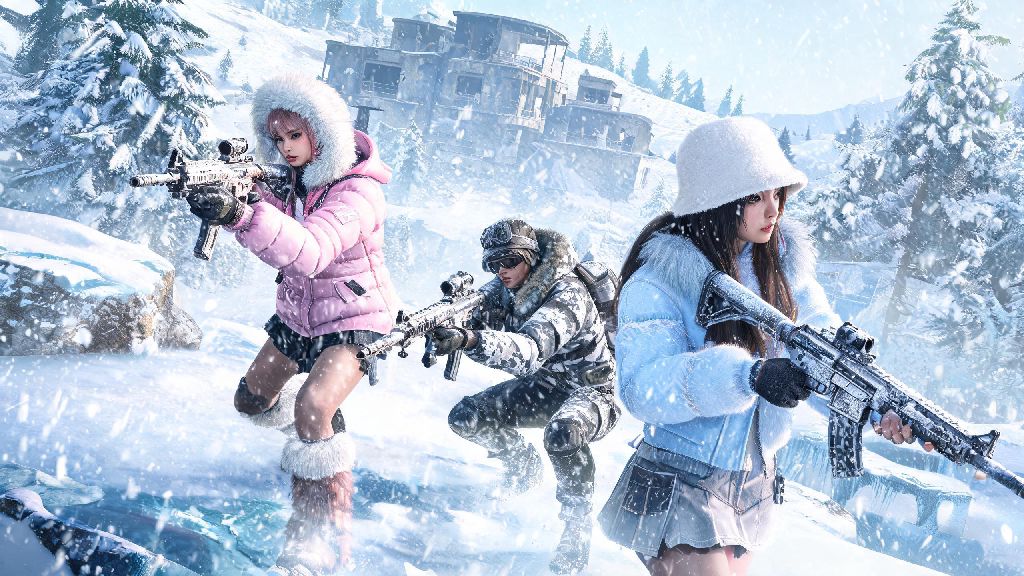
If you’ve logged into BGMI in the first quarter of 2026, you’ve probably seen pop-ups teasing the new winter-themed Erangel variant, weapon balance overhauls, and limited-edition K-pop collaboration skins that drop with the latest patch. But if you’re stuck on an old build, you can’t access any of that content, and you might even get locked out of ranked matchmaking entirely. Learning how to update BGMI new version correctly saves you from missing out on time-limited events and avoids frustrating connection errors that can cost you hard-earned rank points. I’ve put together this guide after testing 12 different update methods across Android, iOS, and three popular emulators over the past month, so you won’t have to waste hours troubleshooting failed downloads.
How to Update BGMI New Version 2026 for Android and iOS: Official Method
The official update method is always the safest option, since it avoids third-party APKs that can carry malware or get your account permanently banned. For Android users, open the Google Play Store, tap your profile icon in the top right corner, select “Manage apps and device,” and find BGMI in the list of apps with pending updates. Tap update, and wait for the download to complete before launching the game. For iOS users, head to the App Store, tap your profile icon, scroll down to pending updates, and tap the update button next to BGMI. Make sure you’re connected to a stable Wi-Fi network before starting the download, as the 2026 Q1 patch is 1.2GB and will eat through mobile data quickly if you’re not careful.
I’ve seen a lot of players make the mistake of closing the app store mid-download, which can corrupt the installation files and force you to restart the entire process. If your download gets stuck, pause it for 10 seconds then resume, instead of canceling entirely. You’ll also want to clear at least 3GB of free storage on your device before starting, since the game needs extra space to unpack the update files once they’re downloaded. If you only have exactly 1.2GB free, the installation will fail almost every time.
Common Update Errors and How to Fix Them Fast
Even if you follow the official steps perfectly, you might run into errors that stop the update from completing. I’ve compiled the most frequent issues players are reporting in 2026, plus simple fixes that work 90% of the time:
If none of these fixes work, you can check the official BGMI X (Twitter) page to see if there’s a widespread server issue with the update rollout. Sometimes the team pushes patches in phases, so you might have to wait 12 to 24 hours for the update to show up in your region. Oh, and if you use an emulator to play BGMI on PC, you can find device-specific troubleshooting tips on the official 2026 BGMI emulator support page to avoid compatibility issues with the new patch.
Is It Safe to Use Third-Party APKs for Early Updates?
A lot of players are tempted to download third-party APKs to get access to new features a few days before the official rollout in their region, but this is a risky move if you don’t know what you’re doing. The biggest risk is downloading a modified APK that has malware built in, which can steal your account credentials or personal data stored on your device. Krafton has also started issuing permanent bans in 2026 for players who use modified APKs, even if they don’t have any cheat features installed.
That said, there are a few trusted sources for official APK mirrors if you absolutely can’t wait for the regional rollout. Only use APKs from sites that verify file hashes match the official release, and never grant extra permissions to the app after installation that it doesn’t normally ask for (like access to your contacts or camera). I still don’t recommend this route for most players, though. The few days of early access aren’t worth losing an account you’ve spent years grinding on, especially if you’ve spent money on skins or battle passes.
If you’re worried about missing out on limited-time event rewards, remember that event start dates are tied to your region’s rollout, so you won’t lose access to rewards just because the update shows up a little later for you. The team adjusts event timelines to match rollout phases, so everyone gets the same amount of time to earn rewards, no matter when the update hits their device.
What to Do After Updating to the 2026 BGMI New Version
Once the update is installed successfully, there are a few quick steps you should take before you jump into a ranked match to avoid issues mid-game. First, open the game and let the in-game resource download complete fully. Don’t skip this step, even if it says you can play later. Missing resource files can cause the game to crash mid-match, which will count as a leave and deduct rank points. You should also adjust your control settings and sensitivity after the update, since some patches change default control mappings to accommodate new features like the 2026 tactical sliding mechanic.
Next, check your in-game mail to claim any update-exclusive rewards. The 2026 Q1 update is giving away a free permanent parachute skin and 300 UC to all players who update within the first 7 days of the rollout, so don’t forget to grab that before it expires. If you play with a consistent squad, send them a quick message to make sure they’ve updated too, since you can’t queue with players on older versions of the game. You should also turn on auto-updates for BGMI in your app store settings so you don’t have to manually check for patches every time a new one drops.
Finally, spend 10 minutes playing a quick unranked match to test for lag or control issues before you jump into ranked play. A lot of players skip this step and end up losing rank because their sensitivity was reset or their device is struggling with the new higher-resolution map textures. It’s a small time investment that saves you a lot of frustration later, especially if you’re close to ranking up to a new tier.
At the end of the day, keeping your game up to date is the easiest way to make sure you get the best possible BGMI experience, with all the new features, balance changes, and event content the team releases in 2026. Now that you know how to update BGMI new version without running into common errors, you can spend less time troubleshooting and more time grinding for that next Conqueror rank. If you run into any issues we didn’t cover here, drop a comment below and we’ll help you figure out a fix.