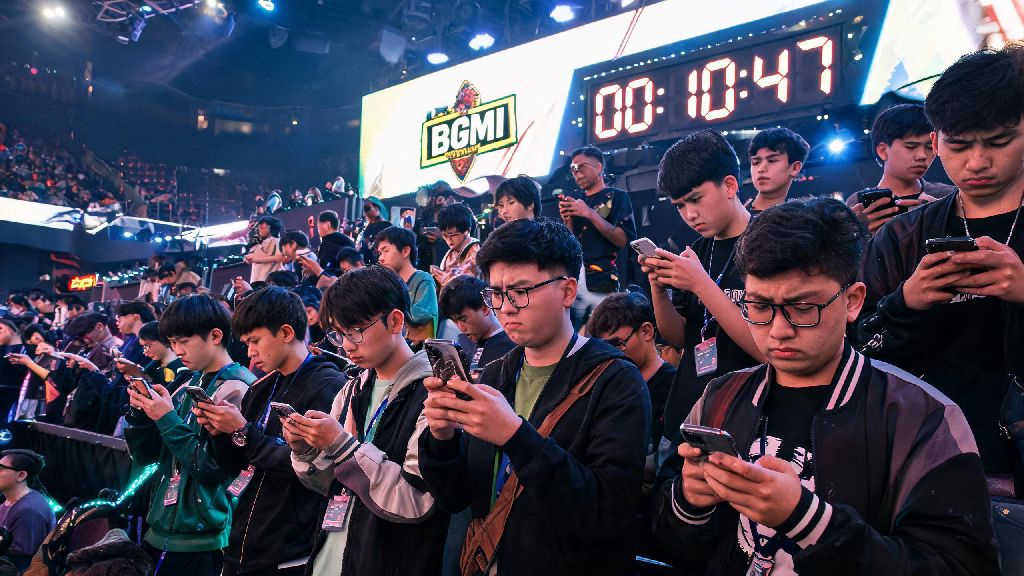
You’re in the middle of a ranked push, you’ve got 3 kills already, the final circle is closing, and suddenly the game kicks you out with a server error message. You refresh your app, check your internet, and still nothing. The first question popping into your head is when will bgmi server be online, right? I’ve been there too, stuck waiting for a fix mid-ranked season, wasting double XP boosts I saved up for weeks. This guide breaks down all the official sources to check for server updates, common reasons for outages, and what you can do while you wait to make the most of your downtime.
When Will BGMI Server Be Online: Official Sources to Check First
A lot of players fall for fake posts on social media claiming servers will be back in 10 minutes, but those almost always lead to disappointment. You should only rely on verified official channels for accurate timelines, no exceptions. The official BGMI X (formerly Twitter) account posts updates within 30 minutes of any major server outage, including estimated time for restoration if it's a planned maintenance. Next, the in-game notice board will pop up an alert the second you open the app if servers are down, so you don't have to search external sites at all.
Krafton's official support page also lists ongoing server issues, with real-time updates for each region in India. I've noticed that for unplanned outages from DDoS attacks or server overload, official updates usually take a bit longer to post, but they always share a timeline once their engineering team has identified the issue. If you see multiple people asking when will BGMI server be online on official comment sections, that's a good sign it's a widespread outage, not an issue on your end.
Common Reasons BGMI Servers Go Offline Unannounced
Most unplanned outages don't happen out of nowhere, there are almost always predictable triggers that Krafton has to address quickly. First, ranked season reset overload is the most common cause I've seen over the past 2 years. When a new ranked season drops, millions of players log on at the same time to push their rank, and the servers can get overloaded for the first 1-2 hours after the update goes live. Another big cause is emergency security patches, usually rolled out to fix major exploits that let players cheat or access paid items for free. These patches can't be announced in advance because that would give cheaters time to exploit the bug even more before the fix goes live.
Regional internet routing issues also cause outages for specific parts of India, even if the main BGMI servers are running fine. The most frequent triggers for unplanned BGMI server outages are:
So if servers go down right after a big collaboration with a popular movie or artist drops, you can usually expect them to be back within 2 hours at most. For emergency security patches, wait times can be up to 4 hours, depending on how complex the exploit is to fix. Most of the time, the team will share a clear answer to when will BGMI server be online as soon as they have a fix timeline.
What to Do While You Wait for BGMI Servers to Come Back Online
I know waiting for servers to come back can be boring, especially if you carved out time specifically to play ranked matches with your squad. There are a few productive things you can do to make the most of that downtime instead of refreshing the app every 2 minutes. First, go through your inventory and scrap all the duplicate cosmetic items you don't use to get silver fragments, which you can exchange for free skins later. You can also adjust your control layout and sensitivity settings in training mode if it's accessible, or watch pro player streams to pick up new tricks for the next ranked season.
If you're part of a clan, this is a great time to coordinate upcoming clan battle times with your teammates, or review your previous match replays to spot mistakes you made in recent fights. Don't fall for scams that promise free UC or exclusive skins if you click a link to "check server status"—all of these are phishing attempts designed to steal your account details. I’ve had friends lose accounts they spent years building because they clicked one random link posted in a public BGMI group, so it’s just not worth the risk.
Troubleshooting Steps If You Can't Connect Even When Servers Are Online
Sometimes the problem isn't with BGMI's servers at all, it's an issue on your end that's stopping you from logging in. I've had this happen multiple times where my friends are playing fine, but I can't get past the loading screen, so I've tested all these fixes personally. First, check if you have the latest version of the app installed from the Google Play Store or Apple App Store. Outdated versions of the app won't connect to the current servers, and you'll get a vague connection error that makes it look like servers are down for everyone.
Clearing the app's cache (for Android users) can fix corrupted files that are stopping you from logging in, without deleting any of your in-game progress or settings. If that doesn't work, try switching between Wi-Fi and mobile data to see if your internet connection is the issue. If you're using a VPN, turn it off completely, because BGMI blocks VPN connections to prevent players from accessing regions they don't live in, which can lead to a permanent ban if you keep using one. If none of these steps work, you can submit a support ticket through the in-game help center, and the team will get back to you within 24 hours with a fix specific to your account.
At the end of the day, waiting for server outages to end is a frustrating part of playing any popular online game, but sticking to official sources will help you avoid unnecessary stress and fake updates. You don't have to waste time scrolling through random social media posts to find out when will bgmi server be online, just check the official X account or in-game notice board for the latest, most accurate timelines. If you run into connection issues when everyone else is playing fine, run through the simple troubleshooting steps we covered first before you assume there's a widespread outage. That way you can get back to playing your matches as fast as possible, no unnecessary waiting required.