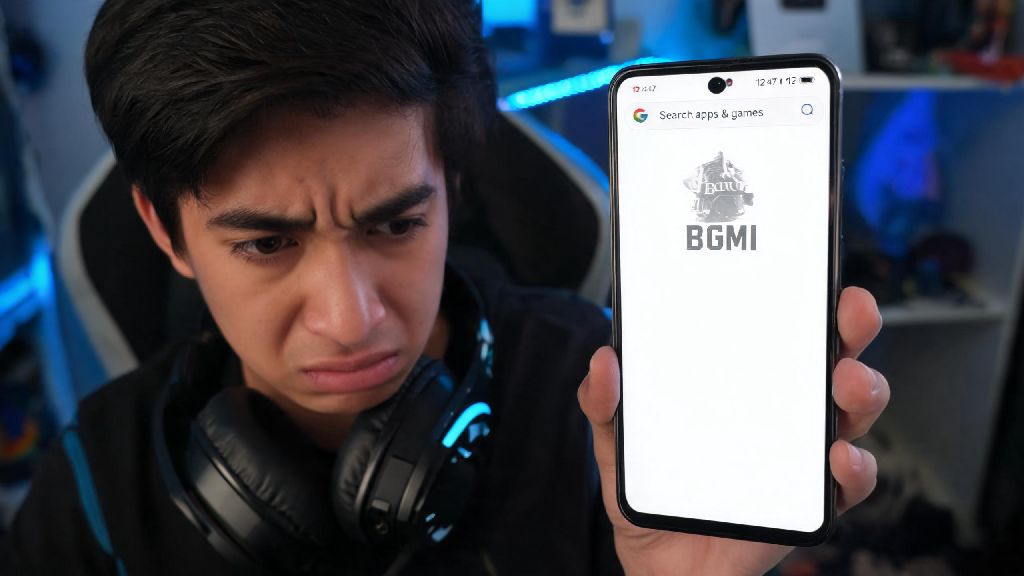
It’s the worst feeling: you grab your phone 10 minutes before a scheduled squad match with your friends, open the Play Store to update BGMI, or install it after getting a new device, and the game is nowhere to be found in search results. I’ve had dozens of friends message me panicking about this exact issue, so I know how frustrating it can be when you’re ready to play and hit this unexpected roadblock. In this guide, we’ll break down why bgmi is not showing in play store for your specific device, plus all the safe, actionable fixes you can try to get the game installed as fast as possible.
Top Reasons Why BGMI Is Not Showing in Play Store for Your Device
The first step to fixing this issue is understanding what’s causing it, and the root cause almost always falls into one of a few common categories. Regional availability restrictions are the number one reason players can’t find BGMI in the Play Store. While the game is officially available in regions like India, it remains blocked in many other parts of the world due to local government regulations or content policy rules. If you’re traveling outside of a supported region, you’ll likely see the game disappear from your search results automatically. If you’re not sure whether BGMI is supported in your region, a quick search of the issue plus your region name will usually bring up official announcements about availability.
Another common cause is incompatible hardware or OS version. BGMI receives regular updates that raise its minimum system requirements to support new graphics features, anti-cheat tools, and gameplay mechanics. As of the latest update, the game requires at least Android 8.0 or higher, 4GB of RAM, and a processor that supports 64-bit architecture. If your device doesn’t meet these specs, the Play Store will hide the game from your search results to prevent you from downloading a version that won’t run properly. Even if you ran the game fine a few months ago, a new update may have raised requirements enough to make your older device incompatible.
Other smaller causes include corrupted Play Store cache data, a mismatch between your Google account’s registered region and your current location, or even a temporary takedown of the game for urgent maintenance or policy adjustments. Most of these issues are easy to fix with a few simple steps, and don’t require any technical expertise to resolve.
Quick Troubleshooting Steps to Make BGMI Visible in Your Play Store
Before you try any more complicated fixes, start with these simple, 2-minute troubleshooting steps that resolve the issue for 70% of players who report this problem. You don’t need any special tools or technical knowledge to run any of these checks:
After running through these steps, open the Play Store again and search for BGMI directly by name. If it still doesn’t show up, you can check your “Previously downloaded apps” list in the Play Store menu if you’ve installed the game on the same Google account before. This list will show you all apps you’ve ever downloaded, even if they’re hidden from regular search results for your current device or region. Plenty of players post about this same issue on community forums every week, so you’ll almost always find other people dealing with the same problem if it’s a widespread regional or app store bug.
One critical rule to remember here: never use third-party APK sites to download BGMI if it doesn’t show up in the Play Store. These sites almost always host modified versions of the game that contain malware, spyware, or hacked features that will get your BGMI account permanently banned as soon as you log in. The risk of losing your account, or having your personal data stolen, is never worth skipping a few simple troubleshooting steps.
What to Do If Basic Fixes Don’t Make BGMI Appear
If you ran through all the quick fixes above and still can’t find BGMI in the Play Store, it’s time to dig a little deeper into the less common causes. First, double-check that your device’s operating system is updated to the latest available version. Many users skip system updates because they take time to install, but outdated OS versions often miss key security patches and architecture support that newer games like BGMI require to run. Even if your device meets the minimum spec requirements on paper, an outdated OS can make the Play Store mark it as incompatible.
If your OS is up to date, check if you’re running a beta version of the Google Play Store. Beta versions of the app often have bugs that break search functionality for specific apps, especially popular games that get high search volume. You can opt out of the Play Store beta program through the Play Store settings, then wait a few minutes for the app to roll back to the stable public version before searching again. If you have access to a secondary Google account, you can also try searching for BGMI while logged into that account to rule out account-specific restrictions.
It’s also important to note that using a VPN to bypass regional restrictions violates BGMI’s terms of service, and can result in a permanent ban on your account even if you successfully download the game. If you’re in a region where BGMI is not officially available, waiting for an official launch is the only safe way to play the game without risking your account or device security. There’s no way around this rule, and plenty of players have lost years of progress on their accounts because they tried to use a VPN to download the game early.
If you previously had BGMI installed on your device and uninstalled it, you may also want to check if you have any pending app bans or restrictions on your Google account. In very rare cases, users who violated Play Store terms in the past may have certain apps hidden from their search results, though this is far less common than the other causes we’ve covered.
Key Safety Rules When Looking for BGMI Downloads
Even if you’re desperate to play the game right away, following these rules will keep your account and personal data safe while you troubleshoot the missing Play Store listing. First, always verify any rumors of a takedown through official BGMI channels first. All official BGMI updates are only released through authorized app stores, and any announcement of a temporary takedown will be posted on the game’s official social media pages or community forums first. If you see a random website claiming the game has been permanently removed, it’s almost always a clickbait scam designed to get you to download fake APK files.
You should also never share your Google account or BGMI account details with anyone who claims they can help you download the game if it’s not showing up in your Play Store. Scammers often target players frustrated with this issue, offering to “sideload” the game onto their device for a small fee, or to share a working download link, only to steal account credentials or install malware on their device. If someone offers you a workaround that requires paying money or sharing login details, it’s 100% a scam.
Temporary app store takedowns for server updates or policy adjustments are rare but do happen from time to time. If you check official channels and see that the game is temporarily removed for maintenance, all you can do is wait a few hours for the team to finish their work and re-list the game on the Play Store. Trying to download the game from other sources during this window will only put you at risk of scammers. These takedowns almost never last longer than 24 hours, so you won’t have to wait long to get back to playing.
If you’ve tried every fix we’ve covered and still can’t find the game, you can reach out to BGMI’s official support team directly through their website. They can help you check if there’s a specific issue with your device or account that’s causing the game to be hidden, and give you tailored steps to resolve the issue based on your region and device model.
At the end of the day, this issue is far more common than most players realize, and it’s almost never a sign that you’ve done something wrong or that the game is gone for good. Most of the time, a quick cache clear or region check will make the game show up in your search results right away, so you can get back to playing with your squad in no time. If you’ve tried every step we’ve covered and still don’t have a clear answer for why bgmi is not showing in play store for your device, reaching out to official support is always the safest next step, rather than risking your account on untrusted third-party sites.