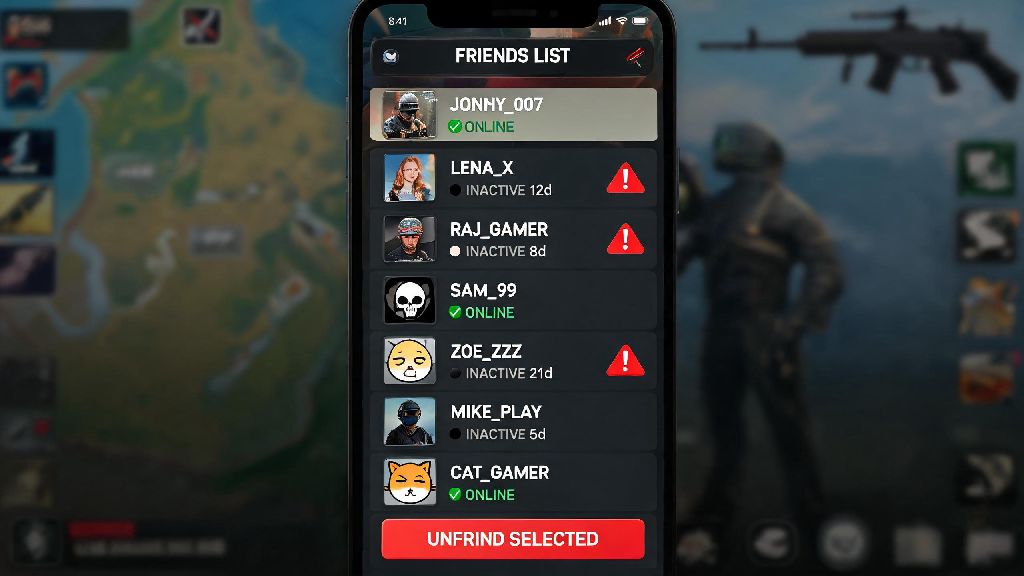
If you’ve been playing BGMI for more than a few weeks, your friend list is probably full of random players you matched with once, inactive accounts that haven’t logged on in months, and maybe even a few people you had a bad gaming experience with. Cluttered friend lists make it hard to find your real gaming buddies when you want to queue up for a ranked match, and you might even get spam messages from strangers you forgot you added. Learning how to unfriend in BGMI is a simple but useful skill that will make your time in the game far more enjoyable, and it only takes a few seconds to complete once you know where to look.
How to Unfriend in BGMI: Official Steps for Mobile and Emulator Accounts
The unfriend process is almost identical for mobile and emulator users, with only small differences in where the friend icon sits on your screen. I’ve walked dozens of new players through this process, and most people figure it out on their first try. If you’re using an emulator, the friend icon will be on the left side of your lobby screen instead of the bottom right, but the rest of the steps are exactly the same. Follow these simple steps to remove any unwanted user from your friend list:
That’s all there is to it. The whole process takes less than 10 seconds per user, so you can clear out 20 or 30 unwanted friends in just a few minutes. If you have synced your Facebook or other social media accounts to BGMI, you can also remove those friends the same way, but note that they will only be removed from your BGMI friend list, not your social media friend lists.
Common Reasons to Unfriend Someone in BGMI
You don’t need a big reason to remove someone from your friend list, and you never have to feel guilty about curating your gaming space to fit your needs. That said, there are a few scenarios that lead most players to clear out their friend lists on a regular basis. BGMI’s default friend list cap is 500 users, so if you add a lot of random players after good matches, you’ll hit that cap eventually and won’t be able to add new friends you actually want to play with.
For example, I regularly remove players who send me constant spam messages asking for free UC, rare skins, or account access. I also remove anyone who throws ranked matches, uses slurs in voice chat, or cheats in any way. Other common reasons include removing accounts that have been inactive for 6 months or more, removing people you no longer play with after a falling out, or removing random players you added by mistake. There’s no wrong reason to clean up your friend list, and it’s always worth taking a few minutes every month to go through it.
Important Things to Know Before You Unfriend Anyone
Before you tap that confirm button, there are a few key details you should keep in mind to avoid mistakes or awkward situations later. First, unfriending someone in BGMI is permanent unless you send them a new friend request and they accept it. There’s no undo button for unfriending, so if you’re removing someone by accident, you’ll have to go through the whole add request process again, which can be embarrassing.
Another common question I get is whether the other person will get a notification that you unfriended them. The answer is no, BGMI does not send any official alert to users when they are removed from someone’s friend list. That means they won’t get a pop-up, mail message, or any other direct notice that you removed them. You won’t get any official notification if someone unfriends you on BGMI either. The only way they’ll find out is if they search for your name in their friend list and can’t find you, or if they try to invite you to a match and see the option to send you a friend request instead.
It’s also important to understand the difference between unfriending and blocking someone. Unfriending only removes the user from your friend list, while blocking restricts all interaction with your account. If you block someone, they won’t be able to send you friend requests, invite you to matches, send you messages, or even see your profile. You should use the block feature if you’re dealing with a toxic player, spammer, or someone who is harassing you, instead of just unfriending them.
Fixing Common Issues When You Can’t Unfriend Someone
Most of the time, the unfriend process works perfectly, but there are a few rare cases where you might run into errors or glitches that prevent you from removing someone from your list. The most common issue is when you tap the unfriend button and nothing happens, or you get an error message that says the action failed. Poor internet connection is the most common cause of failed unfriend attempts in BGMI, so the first thing you should do is check your Wi-Fi or mobile data connection and try again.
If your connection is fine and you still can’t unfriend someone, try closing and restarting your BGMI app. Temporary system glitches are common after big game updates, and a quick restart usually fixes all minor functionality issues. If you’re trying to remove a friend you synced from Facebook or another social media account, you might need to turn off social sync in your account settings first, then restart the app before you can remove them. If none of these fixes work, you can reach out to BGMI customer support to report the issue, but that’s rarely necessary.
Another small issue you might run into is not being able to find the user in your friend list, even though you know you added them. That usually happens if they changed their in-game username recently, so try searching for their player ID instead of their username if you have it saved. You can also check your recent match history to find their profile, then unfriend them directly from their profile page instead of your friend list.
So there you have it, everything you need to know to keep your BGMI friend list clean and free of unwanted users. Taking a few minutes every month to clear out inactive, toxic, or spammy accounts will make your gaming experience far more pleasant, and knowing how to unfriend in BGMI makes that process quick and easy. Don’t stress about offending people by removing them from your list – your gaming time is yours to enjoy, and you have every right to curate your friend list to fit your needs.