I’ve been playing BGMI casually and in small local tournaments for over four years, and I’ve lost count of how many times my group chat blows up with people asking why the game won’t load, why their skins are gone, or why they got a random ban. Most players panic the second something feels off with their account or the game itself, because it’s easy to assume the worst when you’ve spent months grinding ranks and collecting limited-edition items. If you’ve ever found yourself asking what happens to BGMI when things don’t work as expected, this guide breaks down every common scenario, what it means for your account, and what you can do to fix it fast.
What Happens to BGMI During Server Outages and Maintenance Windows
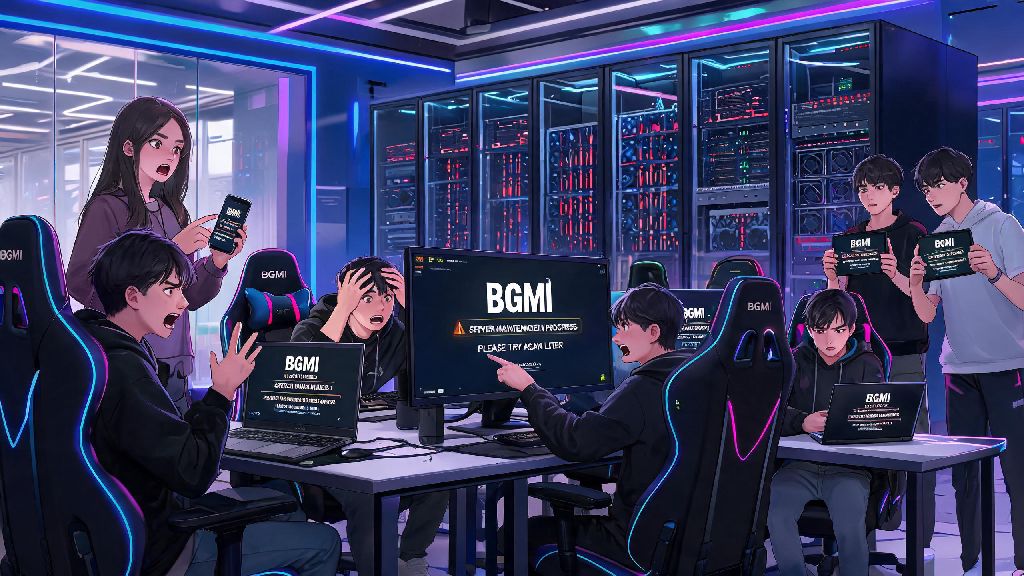
The most common issue players run into is sudden inability to log in, or getting kicked out of a match mid-game. 9 times out of 10, this ties back to either scheduled maintenance or an unscheduled server outage. Krafton announces scheduled maintenance at least 24 hours in advance via in-game notifications and official social media channels, usually to roll out new patches, fix existing bugs, or upgrade anti-cheat systems. Server maintenance usually lasts between 1 to 3 hours, and you won’t lose any purchased content or rank progress during scheduled downtime.
Unscheduled outages are less common, but they do happen, usually due to DDoS attacks, unexpected server overload during peak hours, or critical bug discoveries that need immediate fixing. When these occur, you might see error codes like “server busy” or “connection failed” when you try to log in, and any ongoing matches will be cancelled without rank penalty for all players. Krafton usually offers small compensation for unscheduled outages, ranging from free crate coupons to a few hundred BC, so make sure to check your in-game mail within 24 hours of the outage being resolved.
Common Account-Related Issues and Their Impacts on Your BGMI Profile
Another frequent concern is account-specific issues that don’t affect other players. The most feared of these is account bans, which come in two tiers: temporary and permanent. Temporary bans, usually 7 to 30 days, are handed out for minor offenses like repeated team killing, abusive in-game chat, or accidentally running an unapproved app in the background while playing. Permanent bans are for more severe violations like using mod APKs, aimbots, wallhacks, or selling/buying accounts from third-party sites. 90% of permanent BGMI bans are triggered by unapproved third-party apps running in the background, even if you don’t use them to cheat, so it’s best to close all apps like game boosters, skin editors, or VPNs before you launch the game.
Account compromise is another issue that happens more often than you might think, especially if you reuse passwords across multiple sites or click on fake “free UC” links. If someone gains access to your account, they can spend your saved BC, dismantle your collected skins, drop your rank by throwing matches, or even change your linked email and phone number to lock you out. There are a few clear signs your account has been hacked, including:
How Game Updates and Policy Changes Alter BGMI Gameplay
BGMI rolls out major content updates every 2 to 3 months, plus smaller hotfixes every few weeks to fix bugs and balance gameplay. When a major update drops, you’ll be required to download a 1 to 3 GB patch before you can log in again, and older versions of the app will stop working entirely. These updates often change weapon stats, add new maps or game modes, and remove old limited-time content, so the meta you’re used to might shift completely overnight. For example, a recent update nerfed the damage of the M416 by 10%, which pushed a lot of players to switch to the AKM as their primary assault rifle.
Policy changes specific to the Indian market also alter how you can access and play BGMI. The game currently follows India’s gaming regulations, which limit players under 18 to 3 hours of play time per day, and ban all in-game purchases for minor accounts. All policy changes for BGMI in India are aligned with local gaming regulations, so you won’t face access issues if you follow the official age guidelines. You also might notice temporary restrictions around major exam periods, where play time for all users is limited during peak study hours, as part of the game’s responsible gaming initiatives. These restrictions are always temporary, and access goes back to normal once the exam window ends.
Quick Fixes for Common BGMI Issues You Can Try Right Now
Most BGMI issues don’t require waiting for official support or a new patch to fix. If you’re facing lag mid-match, the first thing to do is lower your graphics settings and frame rate, especially if you’re playing on a mid-range or older phone. You should also close all background apps that use internet or processing power, like streaming apps or social media, to free up resources for the game. If you’re playing on mobile data, switching to a stable Wi-Fi connection can cut lag by up to 70% in most cases.
If you can’t log in at all, first check official BGMI social media accounts to rule out a server outage. If servers are running normally, make sure you have the latest version of the app installed from the Google Play Store or Apple App Store, since sideloaded versions often stop working after updates. Clearing your app cache is another easy fix that resolves most loading and login errors. Clearing your BGMI app cache won’t delete any of your in-game progress, but it will fix most common loading and lag issues. If you’re still having trouble logging in, avoid using VPNs, since they trigger the game’s anti-cheat system and can lead to temporary login blocks or even bans.
If your purchased items or skins are missing, don’t panic right away. Most of the time, this is just a sync error, and restarting the app will make your items reappear within a few minutes. If they don’t come back after 24 hours, you can submit a support ticket with your transaction ID, and the team will restore your items within 3 business days. Never share your OTP or account password with anyone claiming to be BGMI support, as official teams will never ask for these details. All official support communications happen through the in-game support portal or verified social media accounts, so any messages from random users asking for your login details are scams.
Most BGMI issues are temporary, and very few of them lead to permanent loss of progress or items if you take the right steps quickly. You don’t have to spend hours scrolling through forums or panicking when the game doesn’t load as expected – start with the simple fixes we covered, and check official channels for updates before you assume the worst. Knowing what happens to BGMI when common issues pop up can save you a lot of stress and help you get back to your matches faster, so you can focus on winning instead of troubleshooting.